Our typography
Say it with style.
The following pages introduce the fonts we use to give our messaging clarity and visual impact.
Primary typefaces
Halis is a multi-weight sans serif type family we use for most of our typography. It is supported by Besley, a serif typeface, which we use to create emphasis within headlines and for stand-out in infographics.
Weights
We set key headlines in Halis Book or Medium, though we sometimes use a combination of weights on ‘feature’ headlines to create emphasis and contrast between Halis and Besley. When we use Besley to emphasise one or two words within a Halis headline, we use the italic weight.
Halis Medium is for subheadings – Light and Book for body copy, and Medium for emphasis (i.e. ‘bold’ copy).
Tracking
When used in headlines and subheads, we normally track
Halis to -20.
Leading
We normally set leading at 4pt larger than the type size.
For example the headline on the right is set at 100pt with 104pt leading and this body copy is set to 20pt with 24pt leading. Our caption/annotation copy here (bottom right) has only 3pt leading, set at 16pt with 19pt leading.
Leading may be adjusted where necessary to ensure legibility and balance, particularly in digital settings.
Halis with Besley for headlines
Halis Medium for subheads
Halis Light or Book for body copy when used on white and light colour backgrounds. Halis Book for body copy set on red, dark or photographic backgrounds, to ensure legibility. Halis Medium for bold copy.
When using Halis for headlines and subheads, set tracking to -20.
Using our primary typefaces: Halis is a font we have licensed to use. If you do not have it on your machine, please contact our marketing team. Besley is free for commercial use, and can be downloaded from Google Fonts here
Using our secondary (universal) typefaces: If you are creating emails or materials that may be shared externally in editable form, such as Microsoft Word or PowerPoint documents, please use our secondary (universal) typefaces.
Styling headlines
Making a statement with Besley
Besley is a multi-weight serif type family that we use to create emphasis and interest in key statements, titles and headings. It should normally be used for only one or two words, in order to create contrast with our primary typeface Halis, as shown in the examples here.
We most commonly use Besley SemiBold Italic, which stands out strongly against Halis Light and Book. Lighter weights can be used where appropriate, for example in ‘Be more you’ (top left on the examples shown here), Besley Italic is used to avoid creating a clash of hierarchies with the core emphasis on the word ‘you’.
Eyebrow copy
personality to a headline. We can do this by using a small phrase (normally 1-3 words) that introduces or categorises the message being conveyed by the headline underneath it. See example shown here.
We help set these apart from their paired headlines via distinctive styling. They should normally be under half the size of the main headline (the ‘Customer stories’ example is 28pt eyebrow text for a 65pt headline), set in capitalised Halis Light with +20 tracking.


With infographics
Drawing attention to key stats
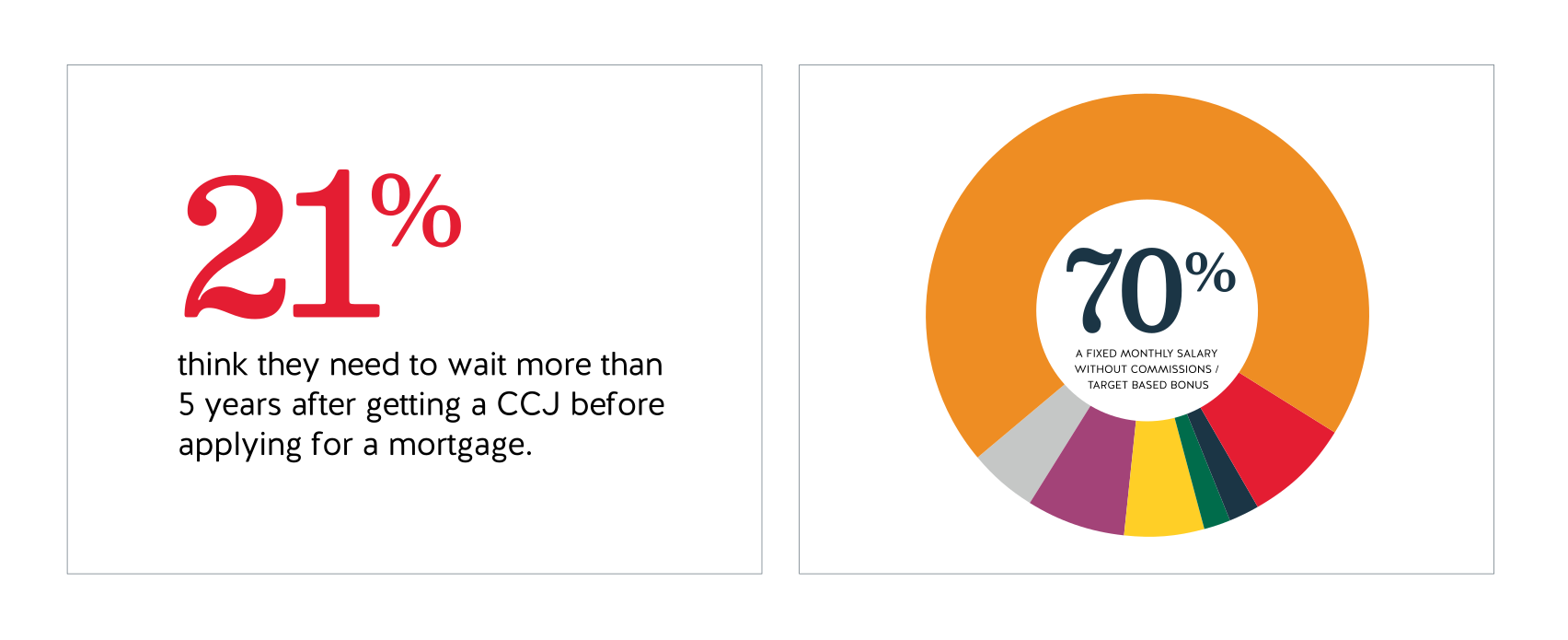
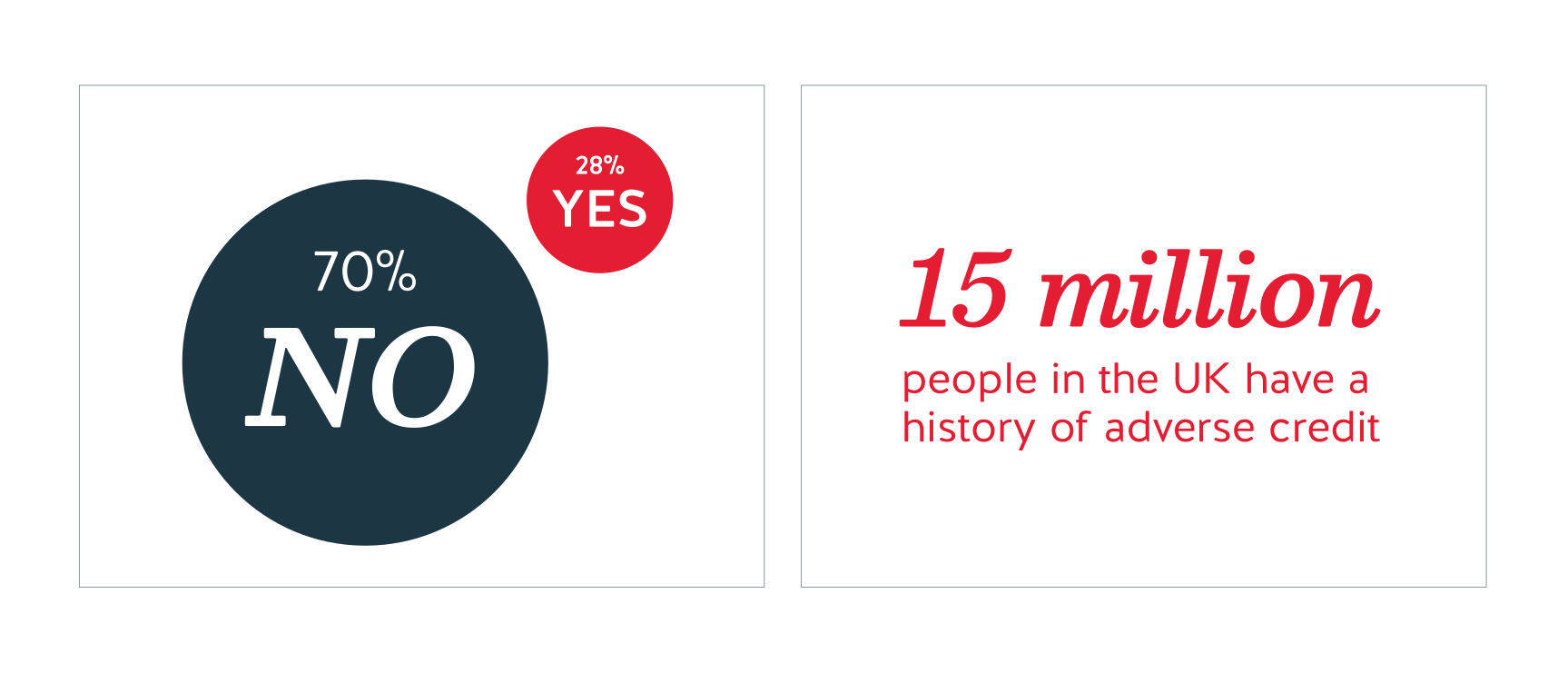
We use Besley to help make stats stand out in our infographics.
Normally we use Besley SemiBold for styling large percentages, with Besley Regular used for the percentage glyph, at a smaller size to make the figure the focus.
Sometimes we also use Besley SemiBold Italic to create additional emphasis and in contrast with Halis, such as in the examples shown bottom right and left here.
Secondary (universal) typefaces
Why do we need secondary typefaces?
Weights
Leading
When used in headlines and subheads, we normally track
Halis to -20.
Colours
The same colour rules established for our primary typefaces (PAGE) also apply here.
Trebuchet Bold with Georgia bold italic for headlines
Trebuchet Bold for subheads
Trebuchet Regular for body copy, with Trebuchet Bold for bold copy.
See colour guidance for typography on PAGE
Ensuring impact and legibility
Making a statement with Besley
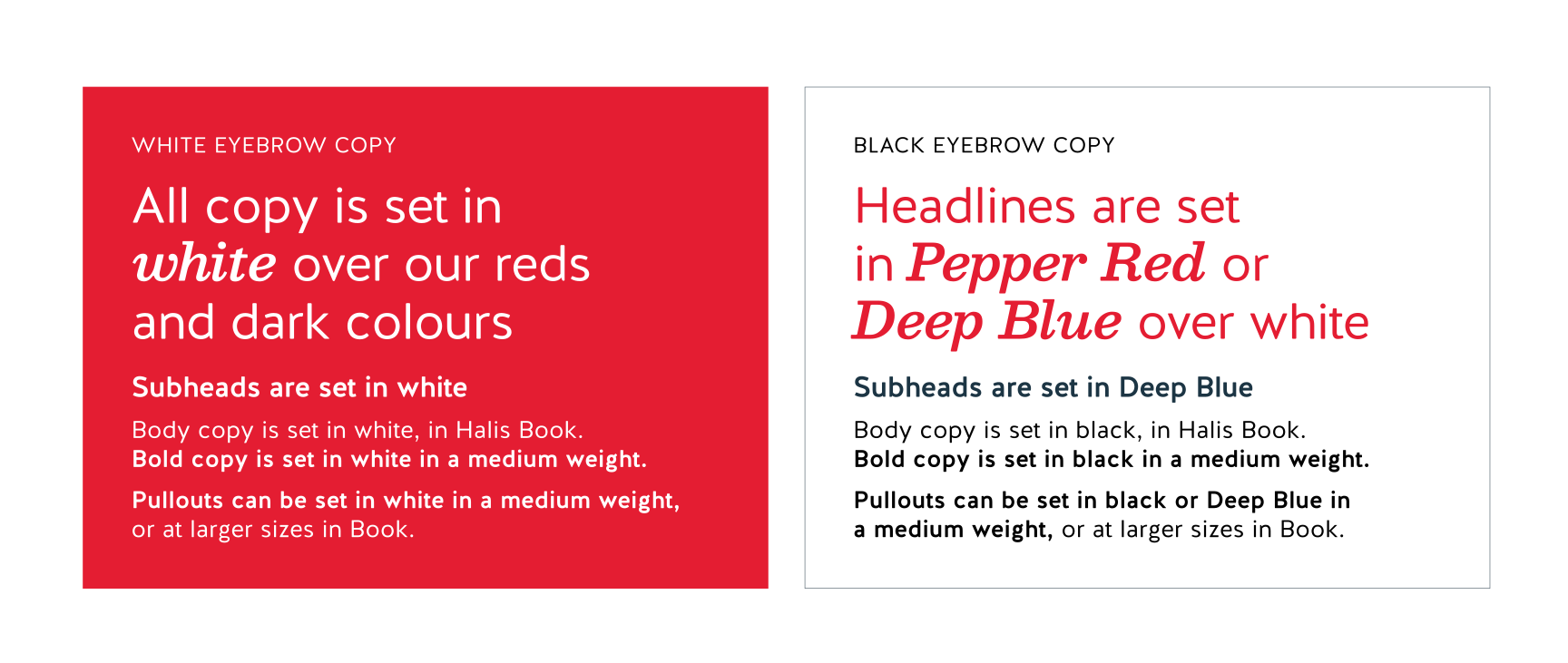
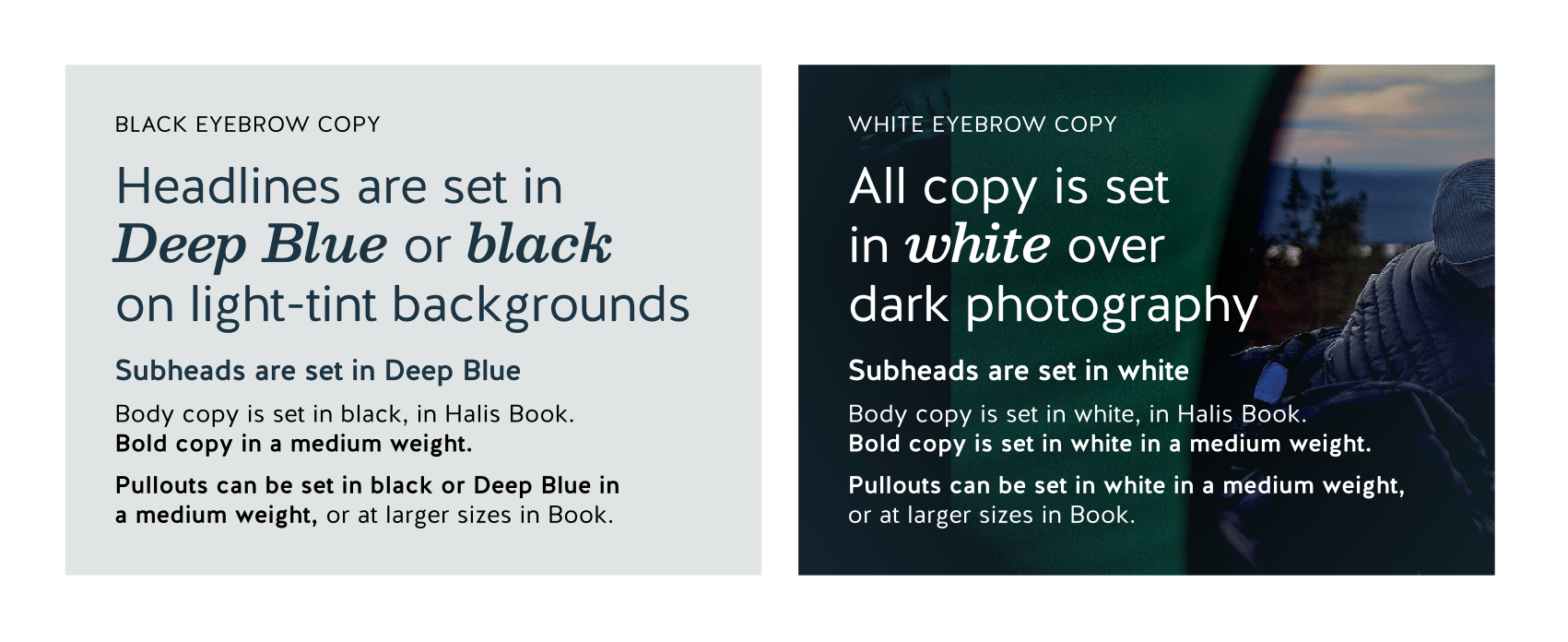
On light backgrounds, body copy and eyebrow copy is set in black, and subheads are set in our brand Deep Blue. We can set headlines in Deep Blue or black. Or if it’s on a white background only, we can use Pepper Red.
On dark and red backgrounds, including our brand graphic backgrounds, and over dark photography, all copy should be set in white.
Where copy is set over pale areas of photography, light background colour rules can apply.
For infographics
Copy should normally only be set over backgrounds in our primary palette, or hero photography.
The exception to this is in infographics – sometimes stats and related information have to sit over our secondary palette colours in charts and graphs.
In this case, set copy in white over our green, orange and purple. And in black over our grey and yellow.